← Back
Assignee History for Jira
Assignee History is a lightweight, intuitive Jira Cloud widget that provides complete visibility into an issue's ownership journey. Seamlessly integrated into your Jira Issue Panel, it automatically tracks, orders, and displays every assignment change from issue creation to resolution.
🌟 Key Features
- Complete Ownership Timeline: Tracks the full lifecycle of issue assignees, including the initial creator/assignee and explicit
Unassignedstates. - Chronological Flexibility: Toggle between Old → New (chronological order) and New → Old (reverse order) views based on your workflow needs.
- Interactive Tooltips & Relative Dates: View user transitions with human-readable relative timestamps (e.g., 3d ago, 2h ago) alongside full exact dates on hover.
- Smart UI Truncation: Keeps your Jira sidebar clean with automatic chain truncation (
+X more...) and smooth expand/collapse controls. - Native Jira Design: Built with the official Atlassian Design System for a seamless, native look and feel (supporting light and dark themes).
- Global App Settings: Easily configure display preferences across your workspace from the dedicated App Settings page.
🚀 How It Works
Once installed, the Assignee History widget automatically appears in the right sidebar (Issue Panel) of all your Jira issues.
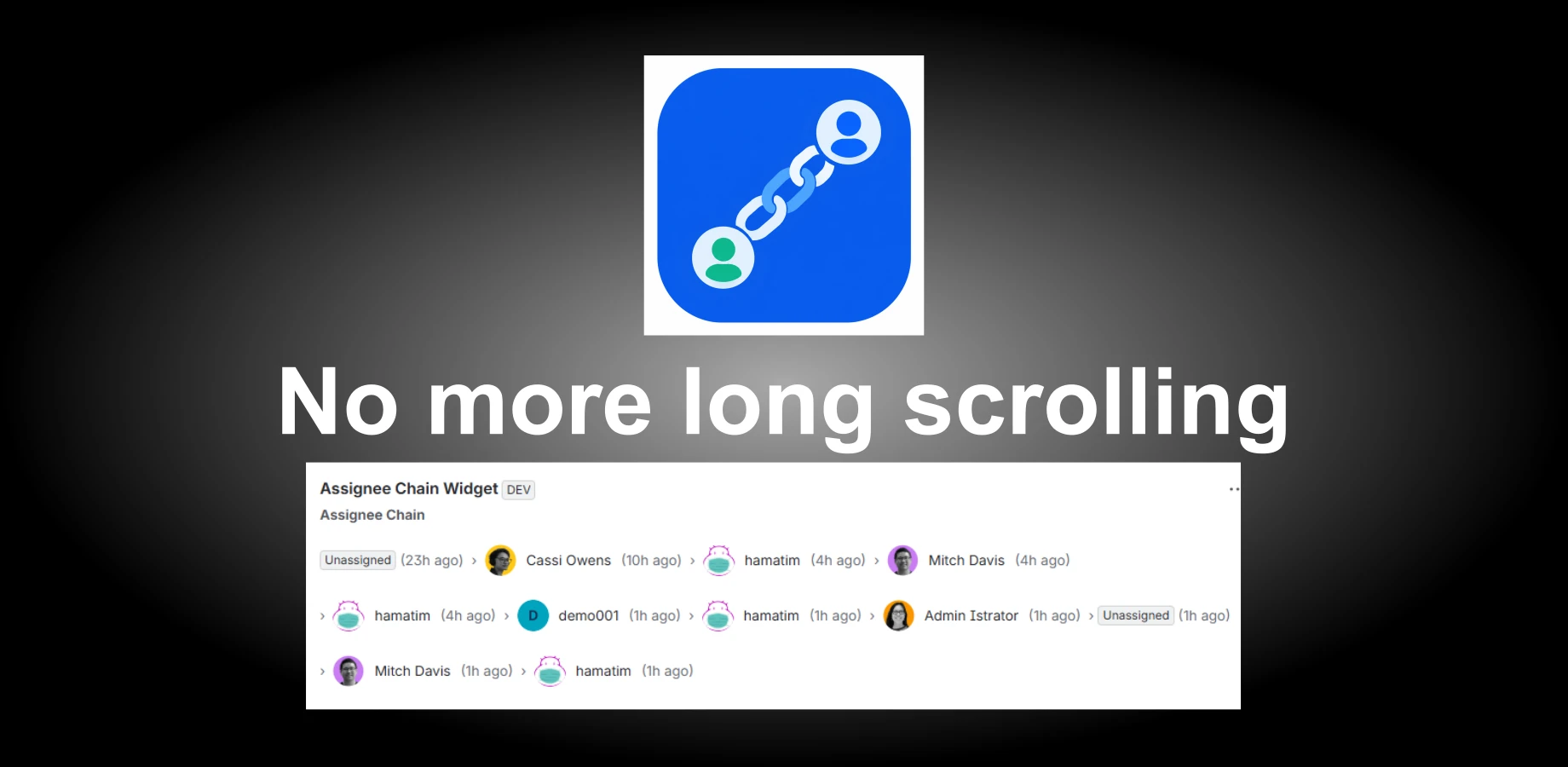
text
[Unassigned] › 👤 Cassi Owens (2d ago) › 👤 Mitch Davis (1h ago)
- View Chain: Open any Jira issue to see the chronological sequence of people who have worked on the task.
- Hover for Details: Hover over any timestamp to see the precise date and time of the assignment change.
- Expand Truncated History: For issues with extensive assignment history, click +X more… to view the full chain or Show less to collapse it back.
- Navigate Profiles: Click on any assignee's name or avatar to navigate directly to their Jira profile page.
⚙️ Configuration & Settings
Jira Administrators can customize default display behaviors globally:
- Click the Config (or App Actions) menu button in the top-right corner of the Assignee History widget header.
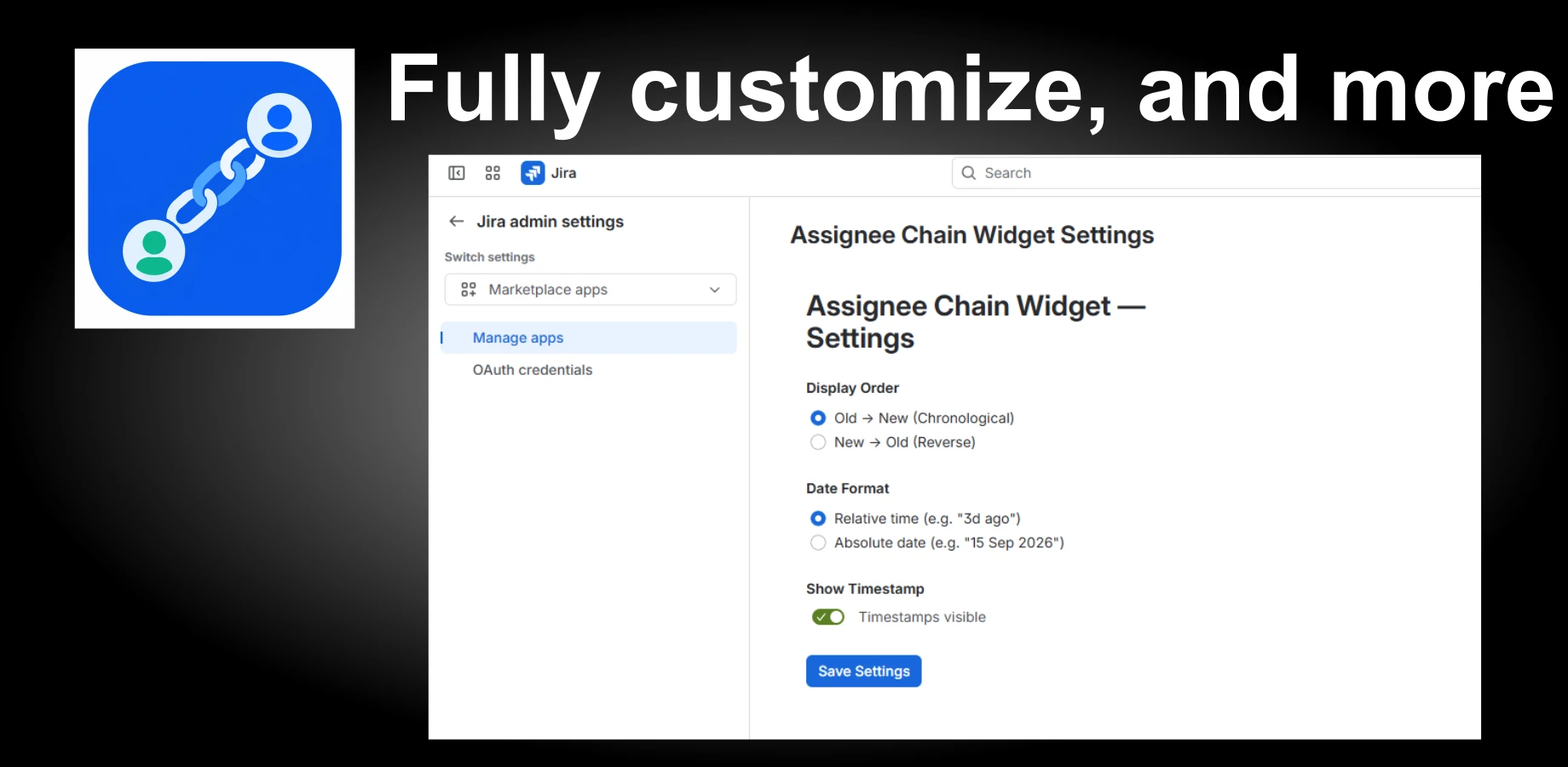
- Alternatively, navigate to Jira Settings → Apps → Assignee Chain Widget Settings.
Available Options
- Display Order:
- Old → New (Chronological): Displays the assignment history starting from issue creation to the current assignee.
- New → Old (Reverse): Places the most recent assignee first.
- Date Format:
- Relative time: Displays simplified durations (e.g., just now, 4h ago, 2mo ago).
- Absolute date: Displays formatted calendar dates (e.g., 15 Sep 2026).
- Show Timestamp Toggle: Turn timestamps on or off depending on how compact you want the visualization to be.
🔒 Security & Data Privacy
- Zero External Data Storage: Your issue histories and user profile details remain strictly within Atlassian's secure Cloud infrastructure.
- Granular Scopes: Operates strictly using minimum necessary read-only permissions (
read:jira-work,read:jira-user) and standard app storage (storage:app). - GDPR & Privacy Compliant: Respects user privacy and handles deactivated or deleted Jira accounts gracefully.